To set Virtual machine to start on boot, Go to
VMware ESXi > Virtual Machines
Click on the Virtual machine you need to start on Boot.
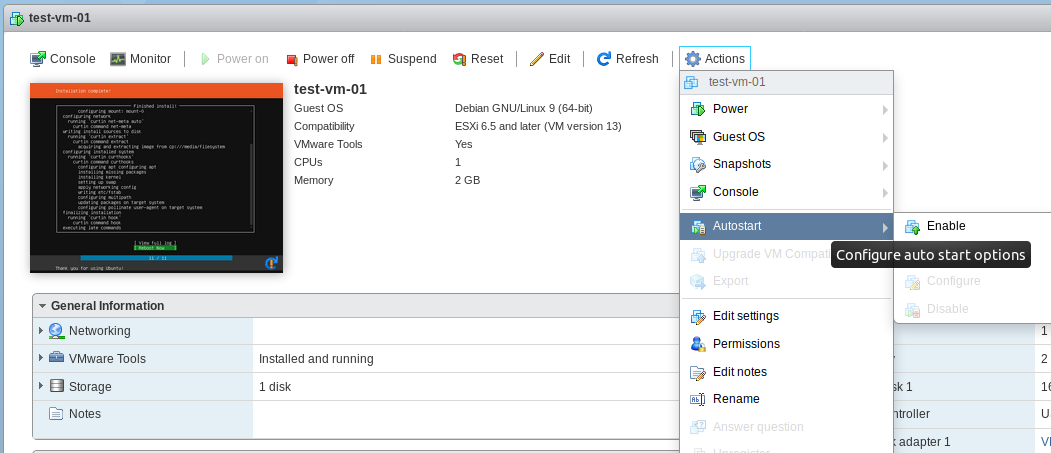
From Actions Menu, select “Autostart” click “Enable”
Visited 1 times, 1 visit(s) today
To set Virtual machine to start on boot, Go to
VMware ESXi > Virtual Machines
Click on the Virtual machine you need to start on Boot.
From Actions Menu, select “Autostart” click “Enable”
