
Install vino
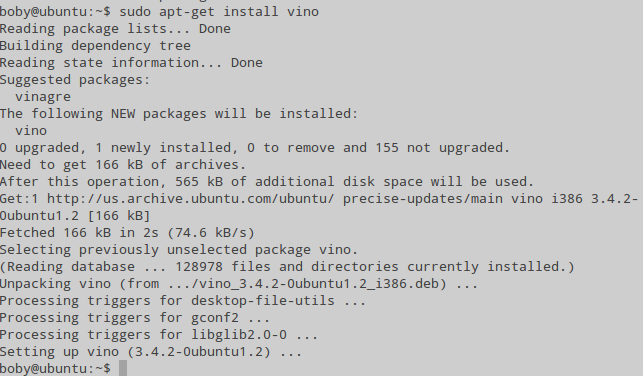
sudo apt-get install vino
Configure Vino
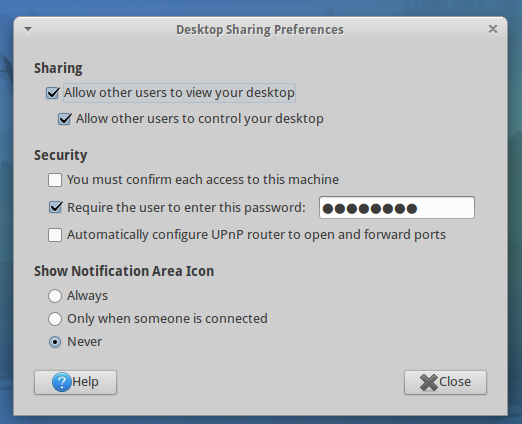
Configure vino, run
vino-preferences
Start vino on boot
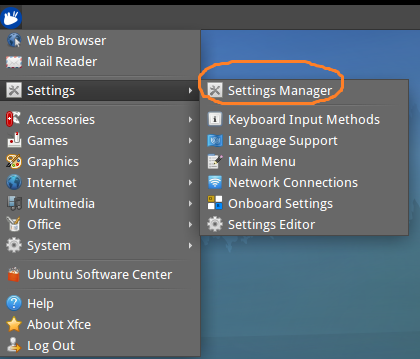
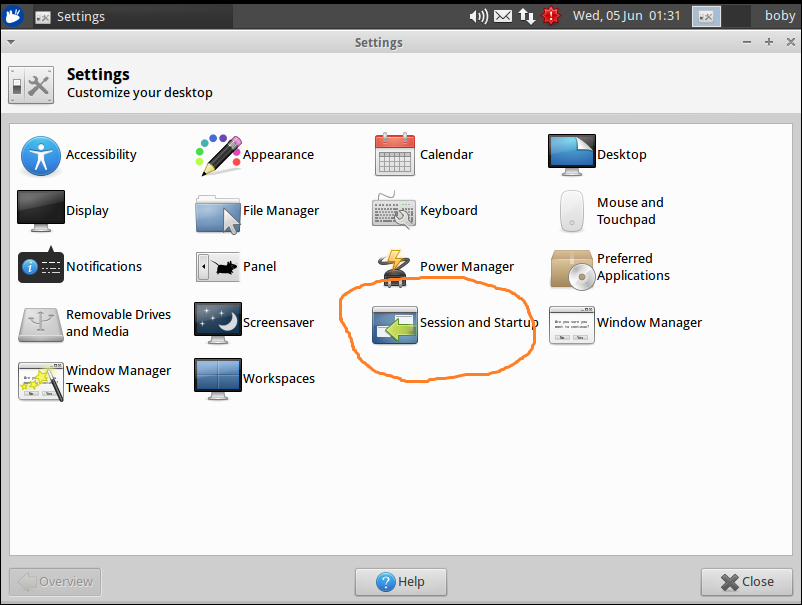
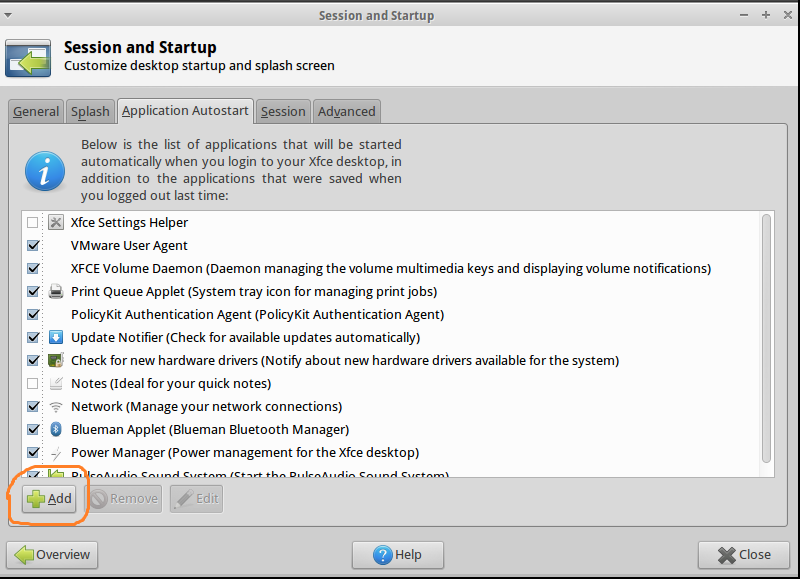
XFCE settings > Session and Startup > Add
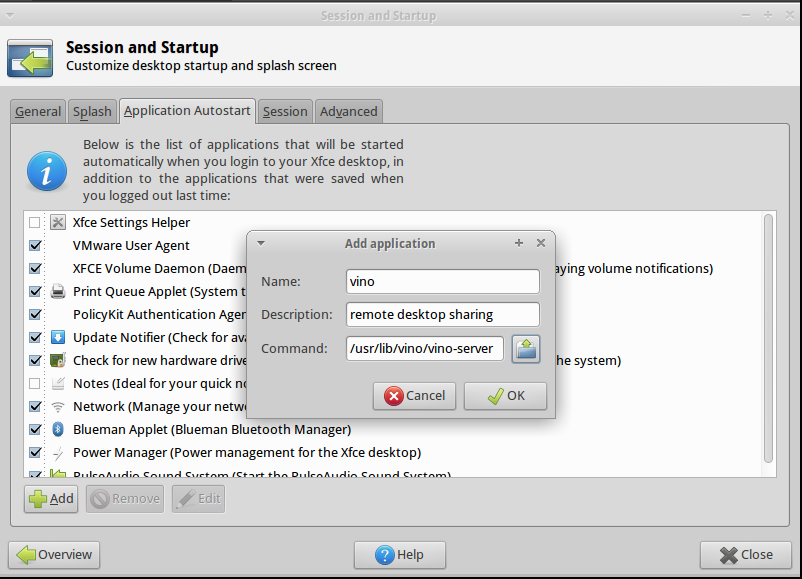
Name: vino
Description: vino desktop sharing
Command: /usr/lib/vino/vino-server
Now restart the computer.
See Ubuntu
Visited 2,138 times, 1 visit(s) today
